What's inside my AI operating system
The video shows what it looks like. This is what's actually in it: four parts, and three things they built this month.

26 October 2026
This week I put out a video called I run my life and business on an AI operating system. Ten minutes, no filler: what it is, the four parts it’s built from, three things it did for me recently. This is the written version of the same ground, with the folders open and the screenshots at full size, which is hard to pull off on video while someone is also talking at you.
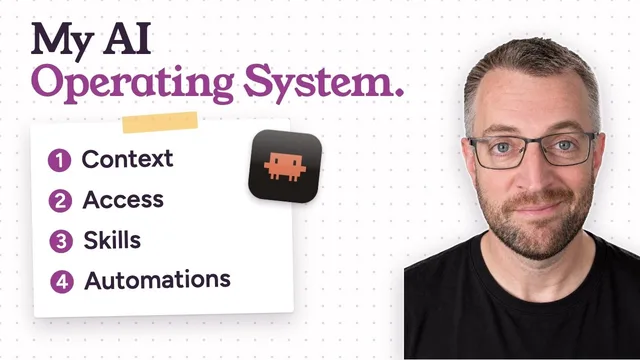
What it actually is
I call it Otto. It isn’t a product I downloaded or a subscription I pay for on top of everything else. It’s a simple front end I built myself, sitting on top of Claude Code and a folder of files. You could get the same result just running Claude Code directly. I like how mine works, but the app isn’t really the point.
It’s one app on my phone and one on my MacBook. Underneath, it’s Claude Code and a folder of context. The whole thing runs on a Mac mini at my house, on 24/7, and every session actually runs there, not on my laptop. So I can start something on the MacBook, close the lid, leave the house, and pick the same conversation back up on my phone from the car.
That’s the whole trick, really. Not a cleverer model. A system that has everything it needs to finish the job without me standing over it.
The four parts: CASA
Everything the system does comes out of four things. I call them CASA: context, access, skills and automations.
1 · Context
Lay the foundationWhat it knows about you and your work. Everything else sits on this.
2 · Access
Fit the doorsThe tools, accounts and systems it can reach, and only the ones you choose.
3 · Skills
Furnish the roomsThe ways of doing things you’ve taught it, from writing a proposal to building software.
4 · Automations
Set the clockWhat runs without you asking: your morning brief, or a reply drafted the moment an email lands.
Context is what it knows about me: how I like to work, how I talk, what I’m currently building, what happened in every session we’ve ever had. Some of that lives in core files I’ve written by hand. A lot more of it is memory the system writes itself, so it doesn’t forget a decision we made three weeks ago.
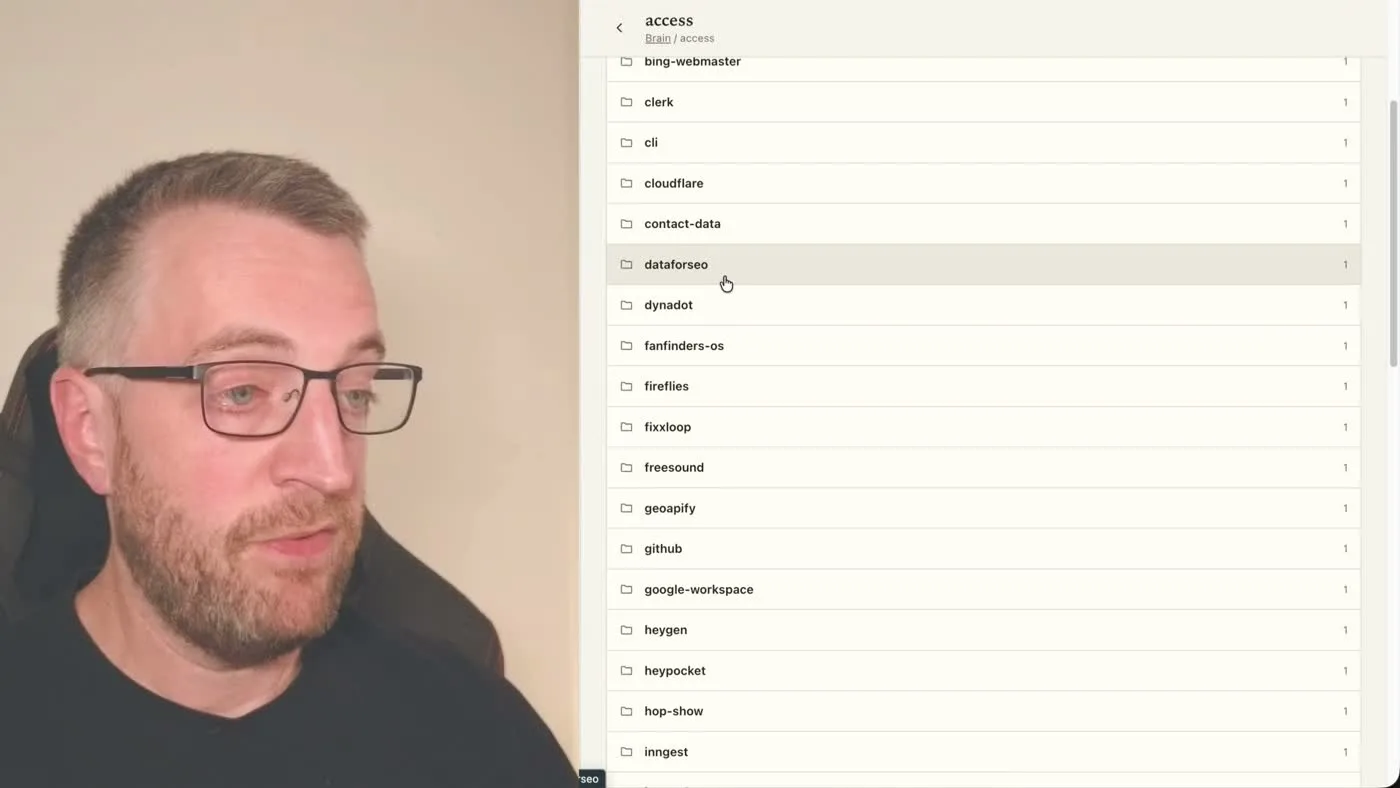
Access is what it can actually reach and do on my behalf: real accounts, real logins, real APIs. My brain has a folder for this, and it’s long: DataForSEO for keyword data, Dynadot for buying and managing domains, Geoapify for anything geographic, and on down a long list of services. Every one of those, the agent can go into and act on without me opening a tab.
Skills are the ways of doing a thing properly, written down once so they don’t have to be relearned. If something is worth doing more than once, it eventually becomes a skill: publish-article is how it gets a piece onto my website correctly, with the right formatting and the right checks, every time. The list runs from the very specific to the very broad, and it only grows. Every job that needs a skill that doesn’t exist yet becomes the next one.
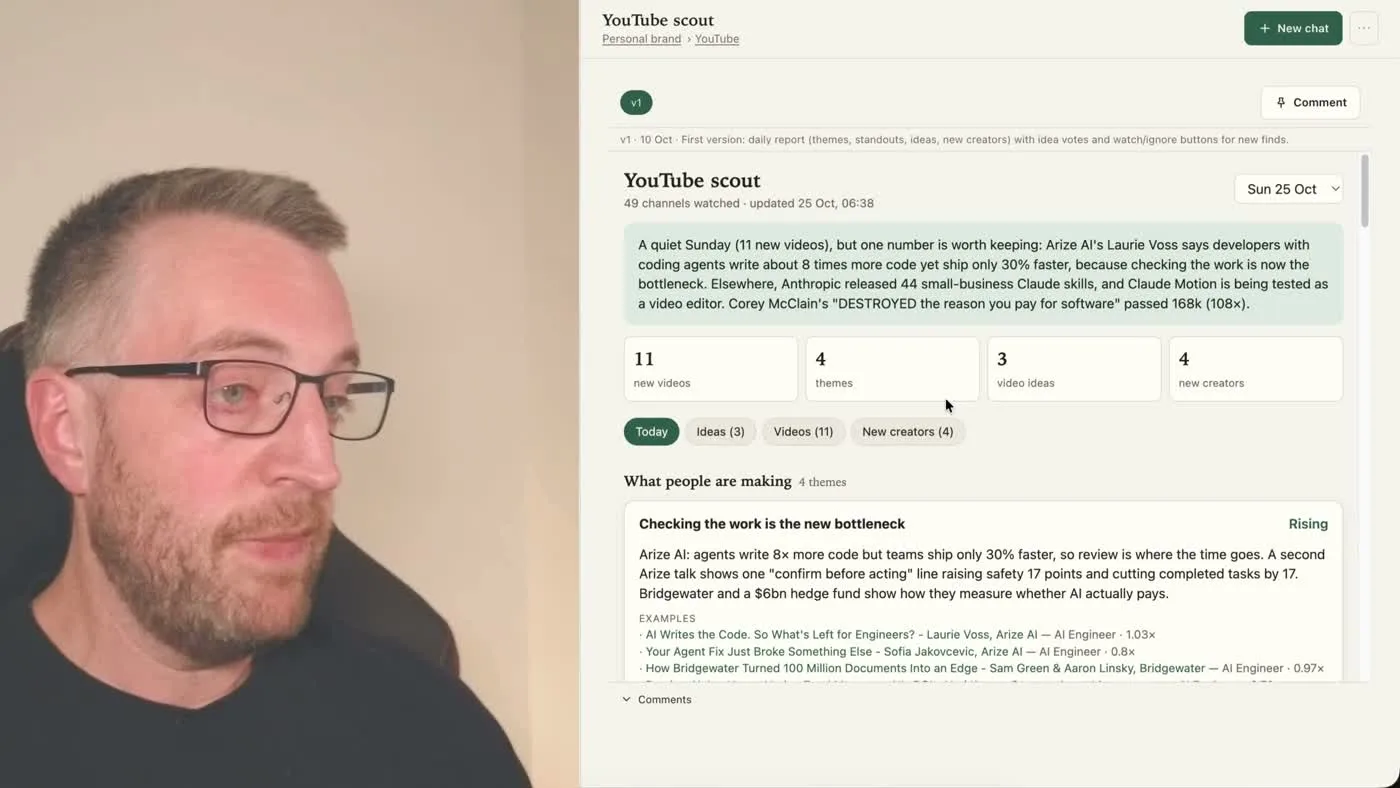
Automations are the bit that runs without me asking. The clearest example I’ve got is my YouTube Scout: every morning it looks at what’s gone up in my niche over the last 24 hours and gives me a short report: what’s trending, what new creators are doing, a handful of video ideas based on what I’m already making. I never open YouTube to go looking for this. It’s just there when I want it.
Context, access, skills, automations. Everything else is just more of those four things, pointed at a new problem.
That’s also most of what my book, Built by Talking, covers: a practical guide to setting up and growing your own version of this, out in the next month or two. If you want the thinking behind it as I go, that’s what my newsletter, also called Built by Talking, is for.
Three things it’s actually done
The four parts are the theory. Here’s what they’ve built recently.
It relaunched my website and all six of my social accounts from one source of truth. My positioning had drifted: out of date in places, slightly different on every platform, because I’d been updating them one at a time whenever I remembered. So I spent some time with Otto getting the new positioning and visuals right, once, properly. After that, because the system already has access to every account and to my website hosting, I could just say: push the new site and the socials live. It pulled the same core material, the words, the photo, the banners, onto my website, X, LinkedIn, Instagram, Threads, TikTok and YouTube, each sized and worded correctly for that platform, without me logging into any of them individually.
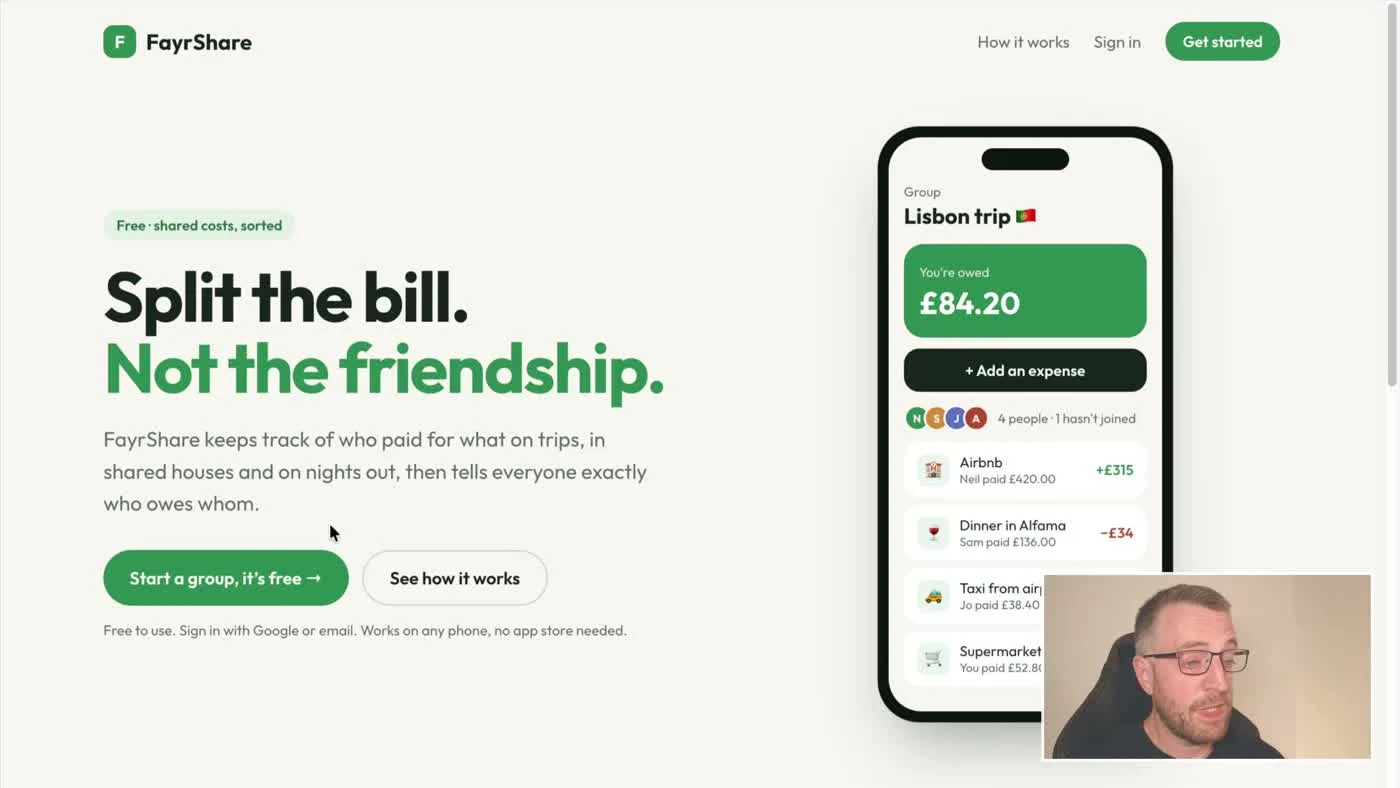
It built FayrShare, a free Splitwise-style app, and gave it an SEO agent that works on it every day. FayrShare splits costs between friends or housemates: sign in with Google or email, add a group, add an expense, it does the maths. I barely touched the build; Otto set up the auth, the hosting and the live domain itself. Since then I’ve given it an SEO agent whose only job is getting the site found: it’s built calculators, written “Splitwise alternative” articles, pulled keyword data from DataForSEO to work out what’s actually worth targeting, and done all of it in four languages: Spanish, Italian, German and French, alongside English. It keeps doing this every day without me asking again.
It runs Otterly Trivial, a fully automated YouTube quiz channel, four times a week. This one I genuinely don’t touch any more. It writes the questions, checks them, renders the video, does the voiceover, uploads it, makes the thumbnail and publishes. All on its own, on a schedule, with no sign-off from me. Otterly Trivial sits inside Quippo, the games and quiz site I’ve been building alongside it, which also has a weekly Friday quiz and party games people can join from their phone with a QR code. Some of this is genuinely useful. Some of it is just me finding out what’s possible once the setup is already there. Both are fine reasons to build something.

Start smaller than you think
I think everyone should be building one of these. Not a Mac mini on day one. You don’t need that to start. Open a laptop, get a basic Claude subscription ($20 a month), and begin with a little bit of context about how you work. You’ll get to something genuinely useful faster than you’d expect, long before you’ve got anything close to what’s in the video.
I didn’t go deep into the actual setup here on purpose. The next video is a proper quick-start guide, from scratch, probably out in the next week or so, for anyone who wants to follow along and build their own version step by step. If you want more of the thinking as I go, the newsletter is Built by Talking.
Watch: I run my life and business on an AI operating system (YouTube) · Read next: Why I build my own AI OS.
I co-founded EmbedAI and I'm a co-founder and Head of AI at FanFinders. I write about running my life and work on an AI OS.
Get the next one
New pieces like this, and first word on the book.